If you’ve ever sat down to write a blog post and somehow ended up three hours deep in email, Time Blocking for Bloggers social media, and “quick research” that turned into a rabbit hole, you already know the problem. Blogging isn’t short on ideas — it’s short on focused hours. That’s exactly why time blocking for bloggers has become one of the most talked-about productivity strategies in the content creation world.
Time blocking isn’t a vague concept borrowed from a corporate productivity seminar. It’s a practical, repeatable system that turns your scattered to-do list into a structured day where writing, editing, promoting, and strategizing all have a designated home. For bloggers juggling multiple roles — writer, editor, marketer, SEO strategist, and sometimes photographer — this structure isn’t a luxury. It’s survival.
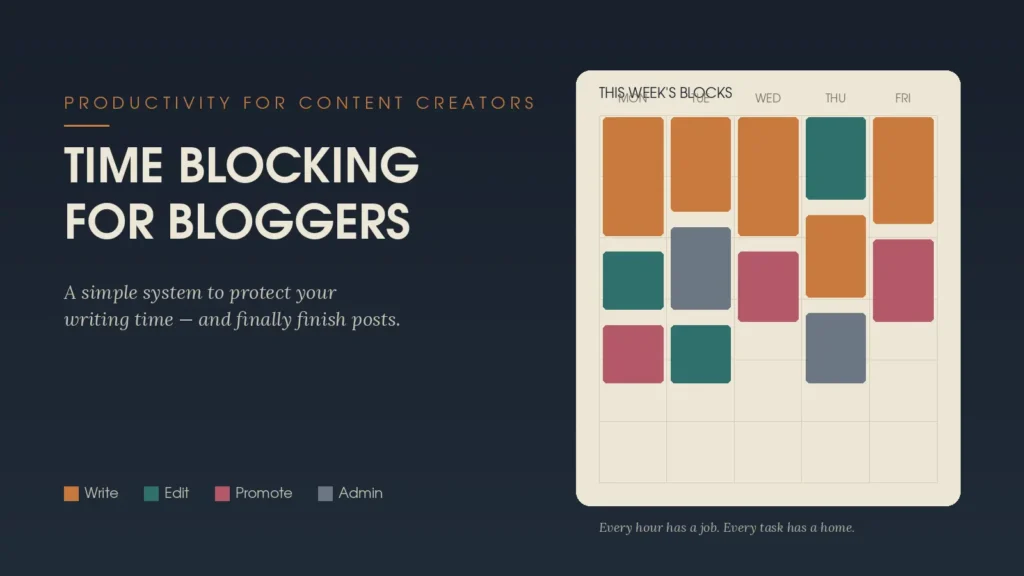
What Time Blocking Actually Means for Bloggers
At its core, time blocking means assigning specific chunks of your day to specific tasks, rather than working from an open-ended list you dip in and out of. Instead of “write blog posts sometime today,” you commit to “write from 9:00 to 11:00 AM.” Instead of checking analytics whenever you feel anxious about traffic, you check them once, during a pre-set 15-minute window.
For bloggers specifically, time blocking works so well because content creation involves several very different types of mental effort:
- Creative work — brainstorming, drafting, storytelling
- Analytical work — SEO research, keyword planning, performance tracking
- Administrative work — emails, sponsor outreach, invoicing
- Promotional work — social media, newsletters, community engagement
Mixing these together in one unstructured block is what causes the mental fatigue so many bloggers complain about. Time blocking for bloggers solves this by separating the different “modes” of work so your brain isn’t constantly switching gears.
Why Bloggers Need Time Blocking More Than Most
Unlike a typical 9-to-5 job with a fixed set of responsibilities, blogging is open-ended by nature. There’s always another post to write, another pin to design, another comment to answer. Without boundaries, work expands to fill every available hour — a phenomenon productivity experts call Parkinson’s Law.
Time blocking creates the boundaries blogging naturally lacks. It forces you to decide, in advance, how much time a task deserves rather than letting it swallow your entire day. This is particularly valuable for bloggers who work from home, where the line between “work time” and “everything else” tends to blur.
How to Build a Time-Blocked Blogging Schedule
Getting started with time blocking for bloggers doesn’t require fancy software or a complicated system. Here’s a simple framework to follow:
1. Audit Your Current Week
Before you can block your time effectively, track how you’re actually spending it right now. Most bloggers are surprised to discover how much time disappears into “research” that’s really just browsing.
2. Identify Your Peak Energy Hours
Writing requires more mental energy than scheduling a social post. Reserve your highest-energy hours — often mornings, for many people — exclusively for writing and drafting.
3. Group Similar Tasks Together
Batch tasks by type. Dedicate one block to writing, another to editing, another to promotion, and another to admin work. This is often called “batching,” and it pairs perfectly with time blocking.
4. Build in Buffer Time
Leave 10–15 minutes between blocks. Blog work rarely runs exactly on schedule, and buffer time keeps one delayed task from derailing your entire day.
5. Protect Your Blocks Like Appointments
Treat your writing block the same way you’d treat a meeting with a client. If it’s on the calendar, it’s not optional.
A Sample Time-Blocked Day for a Blogger
Every blogger’s schedule looks different, but here’s an example structure many creators find effective:
- 8:00–8:30 AM – Plan the day, review content calendar
- 8:30–10:30 AM – Deep-focus writing block (new blog post draft)
- 10:30–10:45 AM – Buffer/break
- 10:45–11:30 AM – Keyword research and SEO optimization
- 11:30–12:30 PM – Editing and formatting older drafts
- 1:30–2:30 PM – Social media scheduling and community engagement
- 2:30–3:30 PM – Admin tasks, emails, sponsor outreach
- 3:30–4:00 PM – Analytics review and next-day planning
This kind of structure keeps every part of the blogging process moving forward without any single task hijacking the entire day.
Common Mistakes to Avoid
Even bloggers who love the idea of time blocking sometimes struggle with execution. A few pitfalls to watch for:
- Overpacking blocks. Leaving no breathing room leads to constant schedule slippage.
- Ignoring energy levels. Scheduling creative writing during your lowest-energy hours sets you up to fail.
- Treating blocks as suggestions. If you allow constant interruptions, time blocking loses its power.
- Forgetting to review and adjust. Your ideal schedule today may not work in a month — revisit it regularly.
Also Read
Best Productivity Tools for Content Creators
Making Time Blocking Work Long-Term
The real value of time blocking for bloggers isn’t just getting more done in a single day — it’s building a sustainable rhythm you can maintain for months and years. Blogging burnout often comes not from working too hard, but from working without structure, where every task feels urgent and nothing feels finished.
When you commit to time blocking, you’re not just organizing your calendar. You’re giving your creative work, your strategic work, and your personal time the clear boundaries they need to actually coexist. Start small — even blocking just your writing time for one week can reveal how much more focused, and less exhausted, your blogging routine can become.